在MySQL中,数据库和表是存储和组织数据的基本单位。本文将介绍如何在MySQL中创建和管理数据库与表。
创建数据库
要创建数据库,可以使用以下SQL语句:
SQLCREATE DATABASE database_name;
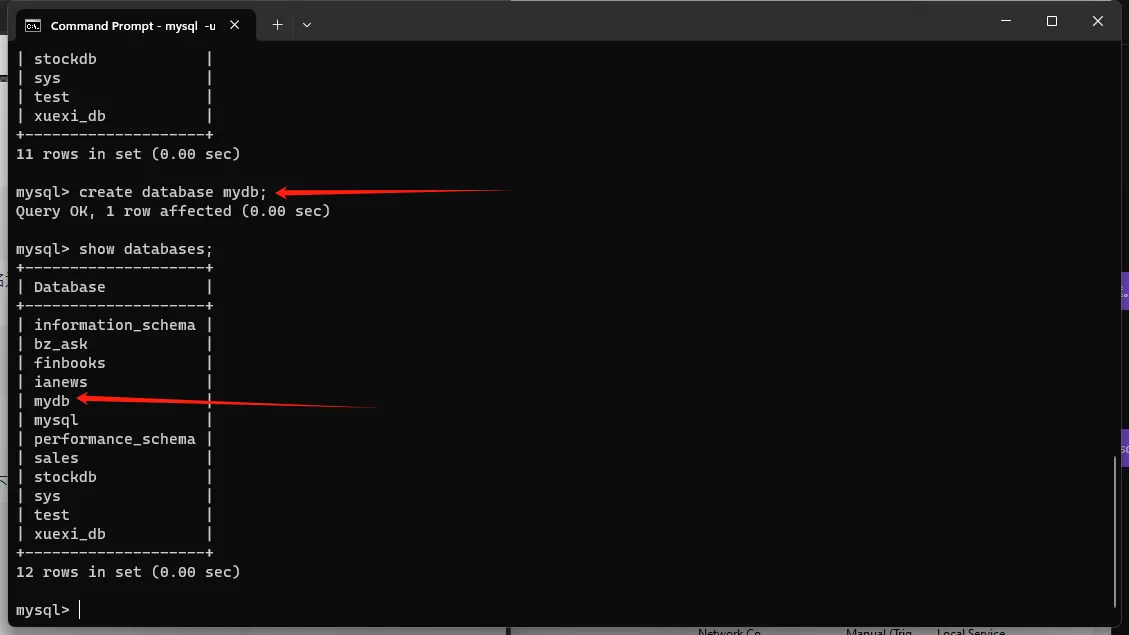
其中,database_name是您想要创建的数据库的名称。例如,要创建一个名为mydb的数据库,可以运行以下命令:
SQLCREATE DATABASE mydb;
MySQL是一种常用的关系型数据库管理系统,本文将介绍如何安装和配置MySQL。
下载MySQL
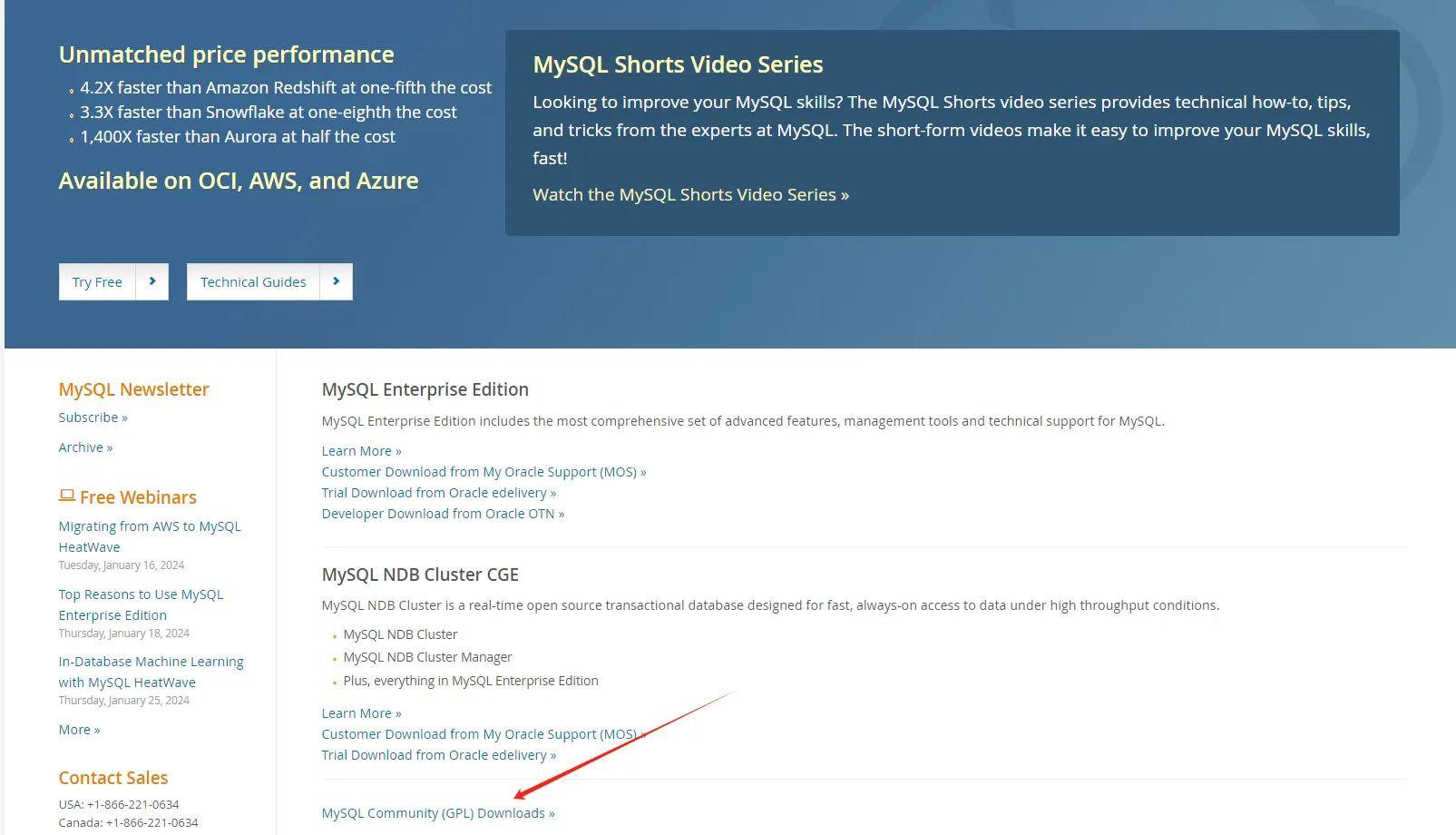
首先,前往MySQL官方网站(https://www.mysql.com/downloads/)下载适合您操作系统的MySQL安装文件。选择适合您操作系统的版本,例如Windows、Linux或Mac OS。
安装MySQL
Windows操作系统
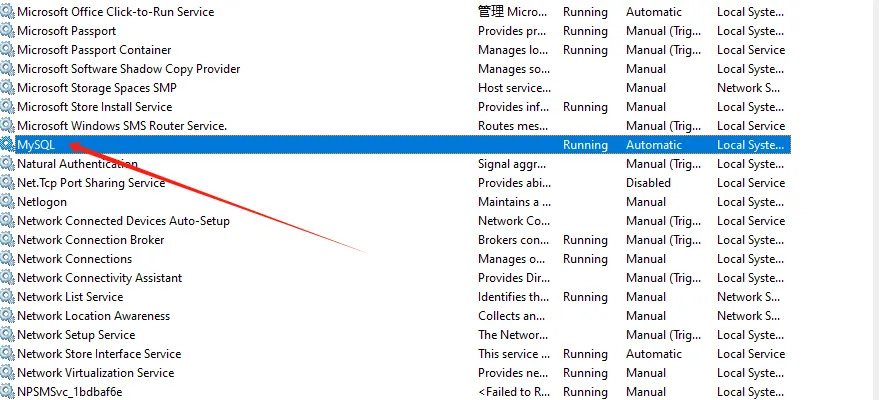 在Windows上安装MySQL通常是一个简单的过程:
什么是MySQL数据库?
MySQL是一种开源的关系型数据库管理系统(RDBMS),广泛应用于各种规模的应用程序中。它是由瑞典公司MySQL AB开发并维护的,后来被Sun Microsystems收购,现在是Oracle公司的一部分。MySQL数据库以其高性能、可靠性和灵活性而闻名,被广泛用于Web应用程序、企业级应用程序和嵌入式系统中。
MySQL的特点与优势
MySQL具有以下特点和优势:
开源与免费
MySQL是一种开源的关系型数据库管理系统(RDBMS),它是由瑞典MySQL AB公司开发的,并且现在由Oracle公司维护和支持。作为开源软件,MySQL遵循GNU通用公共许可证(GPL),这意味着用户可以免费使用、修改和分发MySQL。这使得MySQL成为许多开发者和组织的首选数据库解决方案,因为它提供了灵活性、可定制性和经济性。开发者可以根据自己的需求自由地修改和定制MySQL,并将其集成到他们的应用程序中。此外,MySQL具有良好的性能、可靠性和可扩展性,使其成为处理大量数据和高并发访问的理想选择。
想象一下,你正在为公司开发一个智能客服系统,产品经理突然提出需求:"用户问天气的时候,系统能不能自动调用天气API,而不是只会说'请稍等,我帮您查询'?"
本文将通过实战代码,教你如何让C#应用获得**"函数调用"**这一AI时代的核心能力,让你的程序不再是简单的问答机器人,而是真正具备执行能力的智能助手。
🤔 痛点分析:传统AI对话的局限性
传统的AI对话系统存在一个致命缺陷:只能"说"不能"做"。
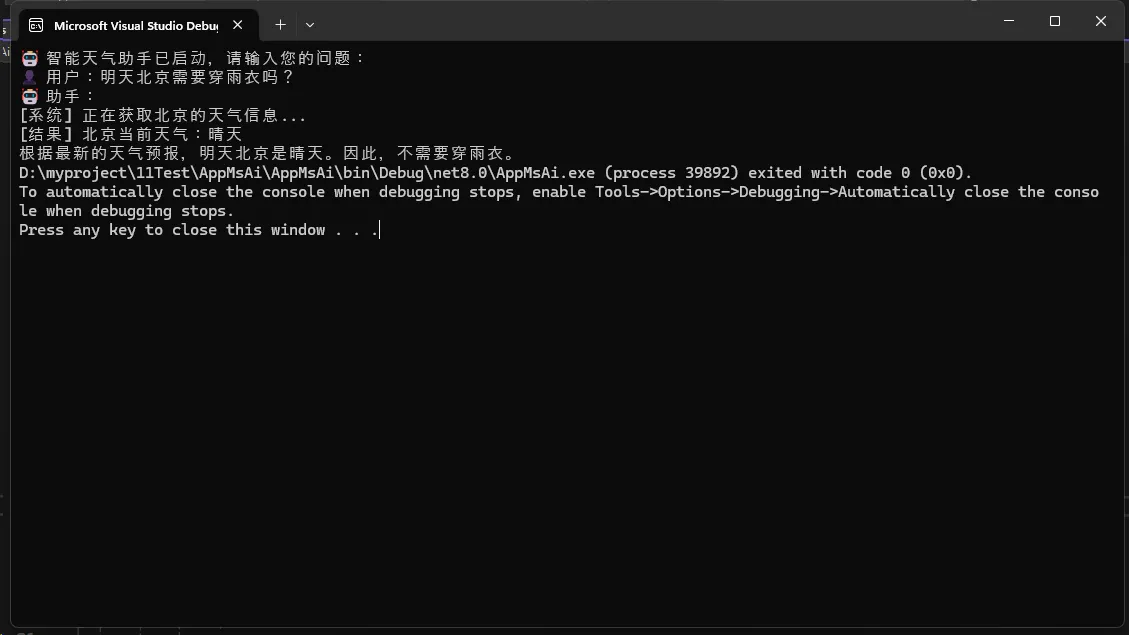
用户问:"明天需要穿雨衣吗?"
传统AI回答:"抱歉,我无法获取实时天气信息,请您查询天气预报。"
这种体验让用户感觉AI"很傻",明明知道用户需要什么,却无法主动帮助解决问题。而**Function Calling(函数调用)**技术的出现,彻底改变了这一现状。
💡 解决方案:两个实用场景展示
🌤️ 场景一:智能天气助手
让我们先看看如何创建一个能够主动获取天气信息的AI助手:
C#using System.ComponentModel;
using System.Text;
using Microsoft.Extensions.AI;
using OllamaSharp;

namespace SmartWeatherAssistant
{
    internal class Program
    {
        static async Task Main(string[] args)
        {
            Console.OutputEncoding = Encoding.UTF8;
            Console.InputEncoding = Encoding.UTF8;
            // 🎯 关键点1:使用Description特性让AI理解函数用途
            [Description("获取指定城市的当前天气情况,返回晴天或雨天")]
            string GetCurrentWeather(
                [Description("城市名称,如:北京、上海、广州")]
                string city = "当前位置")
            {
                // 🔧 实际项目中,这里应该调用真实的天气API
                var weather = Random.Shared.NextDouble() > 0.5 ? "晴天" : "雨天";
                Console.WriteLine($"[系统] 正在获取{city}的天气信息...");
                Console.WriteLine($"[结果] {city}当前天气:{weather}");
                return $"{city}现在是{weather}";
            }

            // 🚀 初始化Ollama客户端(需要本地运行Ollama服务)
            IChatClient client = new OllamaApiClient(
                new Uri("http://localhost:11434"),
                "qwen2.5:3b"); // 使用轻量级的3B模型

            // 🔥 关键点2:启用函数调用功能
            client = ChatClientBuilderChatClientExtensions
                .AsBuilder(client)
                .UseFunctionInvocation() // 这一行是魔法所在!
                .Build();

            // 🛠️ 配置可用的工具函数
            ChatOptions options = new()
            {
                Tools = [AIFunctionFactory.Create(GetCurrentWeather)]
            };

            Console.WriteLine("🤖 智能天气助手已启动,请输入您的问题:");

            // 💬 处理用户输入
            var userInput = "明天北京需要穿雨衣吗?";
            Console.WriteLine($"👤 用户:{userInput}");
            Console.WriteLine("🤖 助手:");

            // 🎬 流式响应,实时显示AI思考过程
            var response = client.GetStreamingResponseAsync(userInput, options);
            await foreach (var update in response)
            {
                Console.Write(update);
            }
        }
    }
}