在Python数据分析和上位机开发中,统计计算是绕不开的核心环节。无论是处理传感器数据、分析生产指标,还是进行质量控制,统计函数都扮演着关键角色。NumPy作为Python科学计算的基石,提供了丰富而高效的统计函数库。本文将从实战角度深入解析NumPy统计函数的核心功能,帮助开发者在实际项目中游刃有余地处理各类统计需求。
🎯 问题分析:为什么需要掌握NumPy统计函数?
在实际的Python开发工作中,我们经常遇到这些场景:
🔸 数据质量监控
- 需要快速计算大批量数据的均值、方差,判断数据稳定性
- 要找出异常值,进行数据清洗
🔸 生产过程控制
- 实时统计设备运行参数的分布情况
- 计算产品质量指标的置信区间
🔸 性能分析优化
- 分析算法执行时间的统计特征
- 评估系统负载的波动范围
传统的Python内置统计方法在处理大数据时性能不足,而NumPy的向量化计算能够显著提升效率,这就是我们选择NumPy统计函数的核心原因。
💡 解决方案:NumPy统计函数体系
🚀 基础描述统计
NumPy提供了完整的描述统计函数族,让我们从最常用的开始:
Pythonimport numpy as np

# 创建示例数据集
data = np.array([23, 45, 56, 78, 32, 67, 89, 12, 34, 56, 78, 90, 43, 21, 65])
print(f"原始数据: {data}")

# 基础统计量
print(f"均值: {np.mean(data):.2f}")
print(f"中位数: {np.median(data):.2f}")
print(f"标准差: {np.std(data):.2f}")
print(f"方差: {np.var(data):.2f}")

作为Python开发者,你是否在处理数值计算时遇到过性能瓶颈?是否为复杂的数学运算而苦恼?NumPy的数学函数模块正是解决这些问题的利器。本文将从实际开发角度出发,深入剖析NumPy数学函数的核心功能,通过丰富的代码实例,帮助你掌握高效的数值计算技巧。无论你是数据分析新手,还是希望提升计算性能的资深开发者,这篇文章都将为你的Python开发之路提供强有力的支持。
🔍 问题分析:为什么选择NumPy数学函数?
在日常的Python开发中,我们经常遇到以下挑战:
📊 性能瓶颈问题
Python原生的math模块虽然功能完整,但在处理大量数据时性能表现不佳:
Pythonimport math
import time
import numpy as np

# 原生Python方法处理10万个数据
data_list = list(range(100000))
start_time = time.time()
result_python = [math.sin(x) for x in data_list]
python_time = time.time() - start_time

# NumPy方法处理相同数据
data_array = np.array(data_list)
start_time = time.time()
result_numpy = np.sin(data_array)
numpy_time = time.time() - start_time

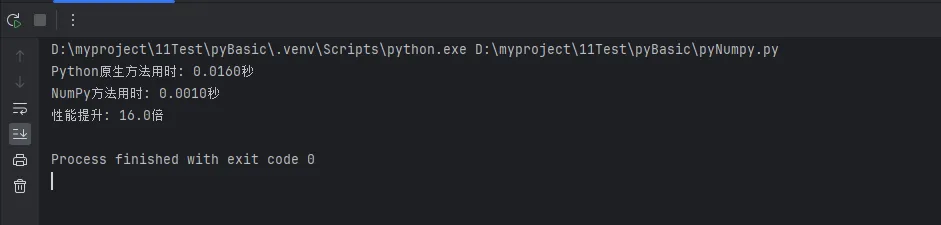
print(f"Python原生方法用时: {python_time:.4f}秒")
print(f"NumPy方法用时: {numpy_time:.4f}秒")
print(f"性能提升: {python_time/numpy_time:.1f}倍")
🎯 功能局限性
原生Python在处理多维数组运算时代码复杂,而NumPy提供了更优雅的解决方案:
Pythonimport numpy as np

# 复杂的多维数学运算
matrix_2d = np.random.rand(1000, 1000)

# NumPy一行代码完成复杂运算
result = np.sqrt(np.sum(np.square(matrix_2d), axis=1))
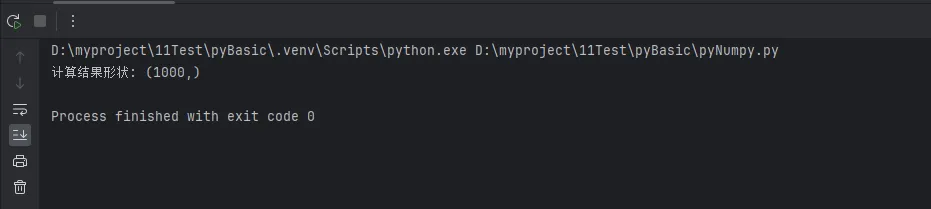
print(f"计算结果形状: {result.shape}")
在Python开发的实际工作中,特别是在Windows环境下进行数据分析和上位机开发时,我们经常面临这样的挑战:如何高效地从大型数组中提取特定数据?如何灵活地改变数据的形状以适应不同的计算需求?如何处理多维数据结构?
这些看似复杂的问题,实际上都指向了NumPy中三个核心概念:数组索引、切片操作和形状变换。很多Python初学者在这里容易卡壳,不是因为概念本身复杂,而是缺乏系统的实战指导。
本文将从实际应用场景出发,通过丰富的代码示例和Windows环境下的编程技巧,带你彻底掌握NumPy数组的索引、切片与形状操作。无论你是数据分析新手,还是正在从事科学计算、图像处理的工程师,这些技能都将成为你Python开发路上的重要基石。
🔍 问题分析:为什么这三大技能如此重要?
在深入学习之前,让我们先理解一个核心问题:为什么数组索引、切片和形状操作是NumPy编程的必备技能?
实际应用场景分析
Pythonimport numpy as np
import time

# 场景1:传感器数据处理
# 假设我们有一个温度传感器,每秒采集10个数据点,连续24小时
sensor_data = np.random.normal(25, 5, (24, 3600, 10))  # 24小时 × 3600秒 × 10个点
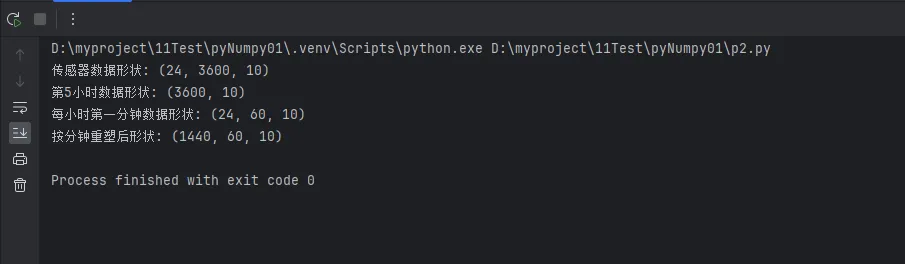
print(f"传感器数据形状: {sensor_data.shape}")

# 需求:提取第5小时的所有数据 - 这需要索引技能
hour_5_data = sensor_data[4]  # 索引从0开始
print(f"第5小时数据形状: {hour_5_data.shape}")

# 需求:提取每小时的第一分钟数据 - 这需要切片技能
first_minute_data = sensor_data[:, :60, :]
print(f"每小时第一分钟数据形状: {first_minute_data.shape}")

# 需求:将数据重塑为按分钟统计 - 这需要形状变换技能
minute_data = sensor_data.reshape(24*60, 60, 10)
print(f"按分钟重塑后形状: {minute_data.shape}")
在Python开发中,特别是数据分析和科学计算领域,NumPy可以说是最核心的基础库之一。无论你是刚入门的Python新手,还是正在从事上位机开发、数据处理的工程师,掌握NumPy都是必不可少的技能。
很多初学者在接触NumPy时,往往被其丰富的API和复杂的概念搞得晕头转向。什么是多维数组?如何高效地创建和操作这些数组?这些看似简单的问题,实际上隐藏着许多实战中的关键技巧。
本文将从实际应用角度出发,通过详细的代码示例和实战场景,带你彻底掌握NumPy数组的创建与基本操作,让你在Windows环境下的Python开发更加得心应手。
🔍 问题分析:为什么选择NumPy?
在深入学习NumPy之前,我们先来理解一个核心问题:为什么不直接使用Python原生的list,而要选择NumPy数组?
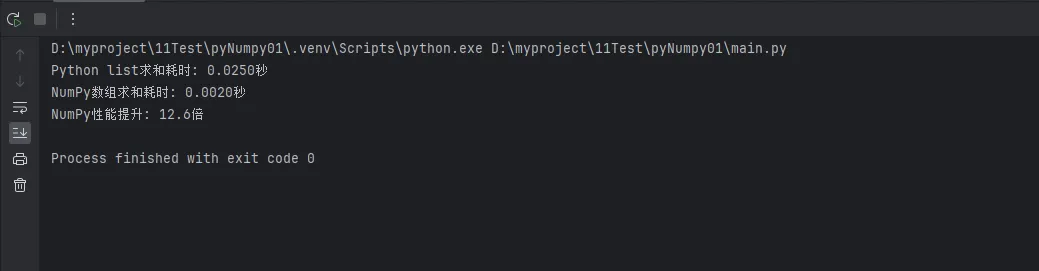
性能对比实验
让我们通过一个简单的实验来直观感受差异:
Pythonimport numpy as np
import time

# 创建大型数据集
size = 1000000
python_list = list(range(size))
numpy_array = np.arange(size)

# 测试Python list求和性能
start_time = time.time()
python_sum = sum(python_list)
python_time = time.time() - start_time

# 测试NumPy数组求和性能
start_time = time.time()
numpy_sum = np.sum(numpy_array)
numpy_time = time.time() - start_time

print(f"Python list求和耗时: {python_time:.4f}秒")
print(f"NumPy数组求和耗时: {numpy_time:.4f}秒")
print(f"NumPy性能提升: {python_time/numpy_time:.1f}倍")
简介
CommunityToolkit.Mvvm提供了强大的数据验证支持,通过实现INotifyDataErrorInfo接口,可以轻松实现属性验证、跨属性验证等功能。本文将详细介绍如何在WinForm应用中使用这些验证特性。
基础知识
在MVVM模式中,验证通常发生在ViewModel层。CommunityToolkit.Mvvm提供了以下几种验证方式:
- 属性级别验证
- 对象级别验证
- 自定义验证规则
实现示例
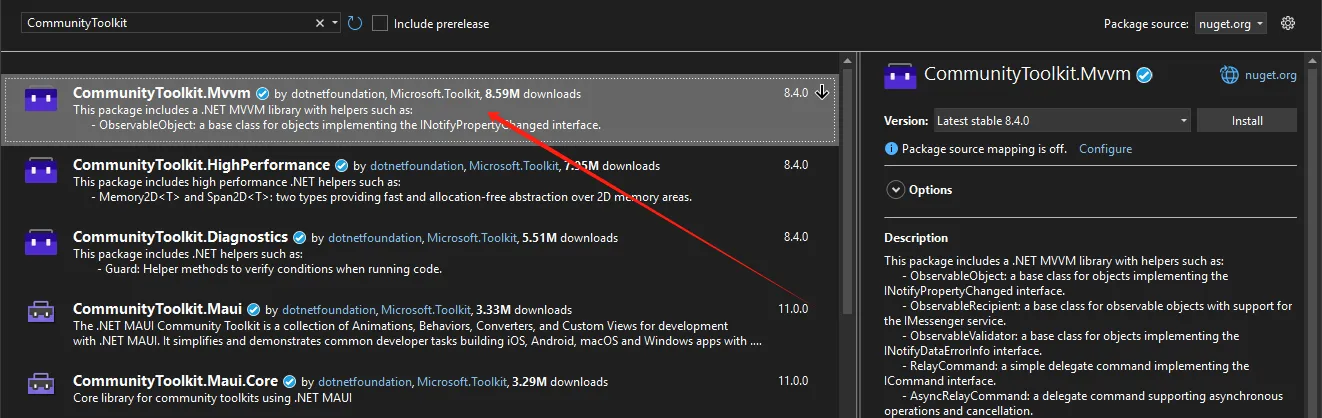
安装必要的NuGet包
XML<PackageReference Include="CommunityToolkit.Mvvm" Version="8.4.0" />