项目背景
在工业自动化和数据采集领域,OPC(OLE for Process Control)是一种标准通信协议,用于在不同工业设备和软件系统之间实现数据交换。OPC DA(Data Access)是最常用的OPC协议之一,用于读取和写入实时数据。
控制台应用架构
项目依赖
- OpcClientSdk
- System.Net
- System.Collections
核心类设计
C#using OpcClientSdk.Da;
using OpcClientSdk;
using System;
using System.Collections.Generic;
using System.Linq;
using System.Text;
using System.Threading.Tasks;

namespace AppDaBrowser
{
    /// <summary>
    /// OPC DA服务器浏览器
    /// </summary>
    public class OpcDaBrowser
    {
        /// <summary>
        /// 日志记录委托
        /// </summary>
        private Action<string> Logger { get; set; }

        /// <summary>
        /// 构造函数
        /// </summary>
        /// <param name="logger">日志记录方法</param>
        public OpcDaBrowser(Action<string> logger = null)
        {
            Logger = logger ?? Console.WriteLine;
        }

        /// <summary>
        /// 发现OPC服务器
        /// </summary>
        /// <returns>可用服务器列表</returns>
        public List<OpcServer> DiscoverServers()
        {
            try
            {
                Logger("开始发现OPC服务器...");

                // 发现OPC DA 2.0服务器
                List<OpcServer> servers = OpcDiscovery.GetServers(OpcSpecification.OPC_DA_20);

                Logger($"发现 {servers.Count} 个OPC服务器");

                // 打印服务器详情
                foreach (var server in servers)
                {
                    Logger($"服务器名称: {server.ServerName}");
                    Logger($"服务器地址: {server.Url}");
                }

                return servers;
            }
            catch (Exception ex)
            {
                Logger($"服务器发现失败: {ex.Message}");
                return new List<OpcServer>();
            }
        }

        /// <summary>
        /// 连接到OPC服务器
        /// </summary>
        /// <param name="serverUrl">服务器URL</param>
        /// <returns>连接的服务器实例</returns>
        public TsCDaServer ConnectToServer(string serverUrl)
        {
            try
            {
                TsCDaServer server = new TsCDaServer();

                Logger($"正在连接服务器: {serverUrl}");

                // 连接服务器
                server.Connect(serverUrl);

                Logger("成功连接到服务器");
                return server;
            }
            catch (Exception ex)
            {
                Logger($"服务器连接失败: {ex.Message}");
                return null;
            }
        }

        /// <summary>
        /// 浏览服务器地址空间
        /// </summary>
        /// <param name="server">OPC服务器实例</param>
        public void BrowseAddressSpace(TsCDaServer server)
        {
            if (server == null) return;

            try
            {
                Logger("开始浏览地址空间...");

                // 配置浏览过滤器
                TsCDaBrowseFilters filters = new TsCDaBrowseFilters
                {
                    BrowseFilter = TsCDaBrowseFilter.All,
                    ReturnAllProperties = true,
                    ReturnPropertyValues = true
                };

                // 初始浏览位置
                TsCDaBrowsePosition position;

                // 浏览根节点
                TsCDaBrowseElement[] elements = server.Browse(
                    new OpcItem(""),  // 根路径
                    filters,
                    out position
                );

                // 递归打印浏览元素
                PrintBrowseElements(elements, 0);
            }
            catch (Exception ex)
            {
                Logger($"地址空间浏览失败: {ex.Message}");
            }
        }

        /// <summary>
        /// 递归打印浏览元素
        /// </summary>
        /// <param name="elements">浏览元素数组</param>
        /// <param name="depth">树深度</param>
        private void PrintBrowseElements(TsCDaBrowseElement[] elements, int depth)
        {
            if (elements == null) return;

            foreach (var element in elements)
            {
                string indent = new string(' ', depth * 2);
                Logger($"{indent}- 名称: {element.Name}");
                Logger($"{indent}  是否为项目: {element.IsItem}");

                // 如果是项目,获取详细信息
                if (element.IsItem)
                {
                    Logger($"{indent}  项目路径: {element.ItemPath}");
                    Logger($"{indent}  项目名称: {element.ItemName}");
                }
            }
        }

        /// <summary>
        /// 获取项目属性
        /// </summary>
        /// <param name="server">OPC服务器实例</param>
        /// <param name="itemPath">项目路径</param>
        public void GetItemProperties(TsCDaServer server, string itemPath)
        {
            if (server == null) return;

            try
            {
                Logger($"获取项目 {itemPath} 的属性");

                // 创建OPC项目
                OpcItem[] items = new[]
                {
                    new OpcItem(itemPath)
                };

                // 获取属性
                TsCDaItemPropertyCollection[] properties = server.GetProperties(
                    items,
                    null,  // 所有属性
                    true   // 返回属性值
                );

                // 打印属性
                foreach (var propertyCollection in properties)
                {
                    Logger($"项目 {propertyCollection.ItemPath} 的属性:");
                    foreach (var property in propertyCollection)
                    {
                        dynamic d = property;
                        if (d.Result.Succeeded())
                        {
                            Logger($"  属性: {d.Description}");
                            Logger($"    值: {OpcConvert.ToString(d.Value)}");
                        }
                    }
                }
            }
            catch (Exception ex)
            {
                Logger($"获取项目属性失败: {ex.Message}");
            }
        }
    }
}
引言
OPC(OLE for Process Control)数据访问(DA)是工业自动化中常用的通信协议,用于在不同软件和硬件系统之间交换实时数据。本文将详细介绍如何使用C#和OpcClientSdk实现OPC DA的异步读写操作。
开发环境准备
在开始之前,需要具备以下环境:
- Visual Studio
- .NET Framework
- OpcClientSdk类库
- OPC DA服务器
关键代码解析
服务器发现与连接
C#// 发现可用的OPC DA服务器
private void Form1_Load(object sender, EventArgs e)
{
    List<OpcServer> servers = OpcDiscovery.GetServers(OpcSpecification.OPC_DA_20);

    if (servers != null && servers.Count > 0)
    {
        foreach (OpcServer server in servers)
        {
            // 将服务器名称添加到下拉列表
            cboServer.Items.Add(server.ServerName);
        }
    }
}

// 连接到选定的OPC服务器
private void btnConnect_Click(object sender, EventArgs e)
{
    try
    {
        // 设置等待光标
        Cursor = Cursors.WaitCursor;

        // 创建OPC服务器连接URL
        OpcUrl opcUrl = new OpcUrl(OpcSpecification.OPC_DA_20, OpcUrlScheme.DA, cboServer.Text);

        // 连接到OPC服务器
        _OpcDaServer.Connect(opcUrl, null);
    }
    catch (OpcResultException exe)
    {
        MessageBox.Show(exe.Message, "连接错误", MessageBoxButtons.OK, MessageBoxIcon.Warning);
    }
}
OPC(Open Platform Communications)是工业自动化领域标准的通信协议,其中OPC DA(Data Access)是最常用的通信标准之一。本文将深入探讨如何使用OpcClientSdk在C#中开发OPC DA客户端应用。
OPC DA基本概念
OPC DA是什么?
OPC DA是一种标准化的工业通信接口,允许不同设备和软件系统之间进行实时数据交换。它主要用于:
- 从工业设备读取实时数据
- 向设备写入控制数据
- 监控数据变化
关键组件
- Server(服务器):提供数据访问的工业设备或软件
- Client(客户端):请求和处理数据的应用程序
- Item(项目):可以读写的具体数据点
OpcClientSdk开发实践
开发环境准备
- 安装OpcClientSdk
- 添加必要的引用:
OpcClientSdk和OpcClientSdk.Da
代码详解
连接OPC服务器
C#const string serverUrl = "opcda://localhost/Kepware.KEPServerEX.V6";
TsCDaServer myDaServer = new TsCDaServer();
myDaServer.Connect(serverUrl);
创建订阅组
C#TsCDaSubscriptionState groupState = new TsCDaSubscriptionState { Name = "MyGroup" };
TsCDaSubscription group = (TsCDaSubscription)myDaServer.CreateSubscription(groupState);
定义和添加监控项目
C#TsCDaItem[] items = new TsCDaItem[1];
items[0] = new TsCDaItem
{
    ItemName = "Channel.Device.L1",
    ClientHandle = 100,
    Active = true
};
基础例子
C#using OpcClientSdk.Da;
using System;
using System.Collections.Generic;
using System.Linq;
using System.Text;
using System.Threading.Tasks;

namespace AppOpcDa
{
    internal class Program
    {
        static void Main(string[] args)
        {
            const string serverUrl = "opcda://localhost/Kepware.KEPServerEX.V6";
            TsCDaServer myDaServer = new TsCDaServer();
            myDaServer.Connect(serverUrl);
            if (myDaServer.IsConnected)
            {
                Console.WriteLine("Connected to OPC DA Server");

                TsCDaSubscriptionState groupState = new TsCDaSubscriptionState { Name = "MyGroup" };
                TsCDaSubscription group = (TsCDaSubscription)myDaServer.CreateSubscription(groupState);

                TsCDaItem[] items = new TsCDaItem[1];
                TsCDaItemResult[] itemResults;

                items[0] = new TsCDaItem();
                items[0].ItemName = "Channel.Device.L1";      // 指定要读取的 OPC 标签名称
                items[0].ClientHandle = 100;                   // 客户端自定义句柄,用于标识这个数据项
                items[0].MaxAgeSpecified = true;               // 启用 MaxAge 设置
                items[0].MaxAge = 0;                           // 从服务器直接读取实时数据
                items[0].Active = true;                        // 设置数据项为活动状态
                items[0].ActiveSpecified = true;               // 启用 Active 设置

                // 读取数据
                TsCDaItemValueResult[] itemValues = myDaServer.Read(items);

                // 遍历并输出读取到的数据
                for (int i = 0; i < itemValues.Length; i++)
                {
                    // 检查是否成功读取
                    if (!itemValues[i].Result.IsError())
                    {
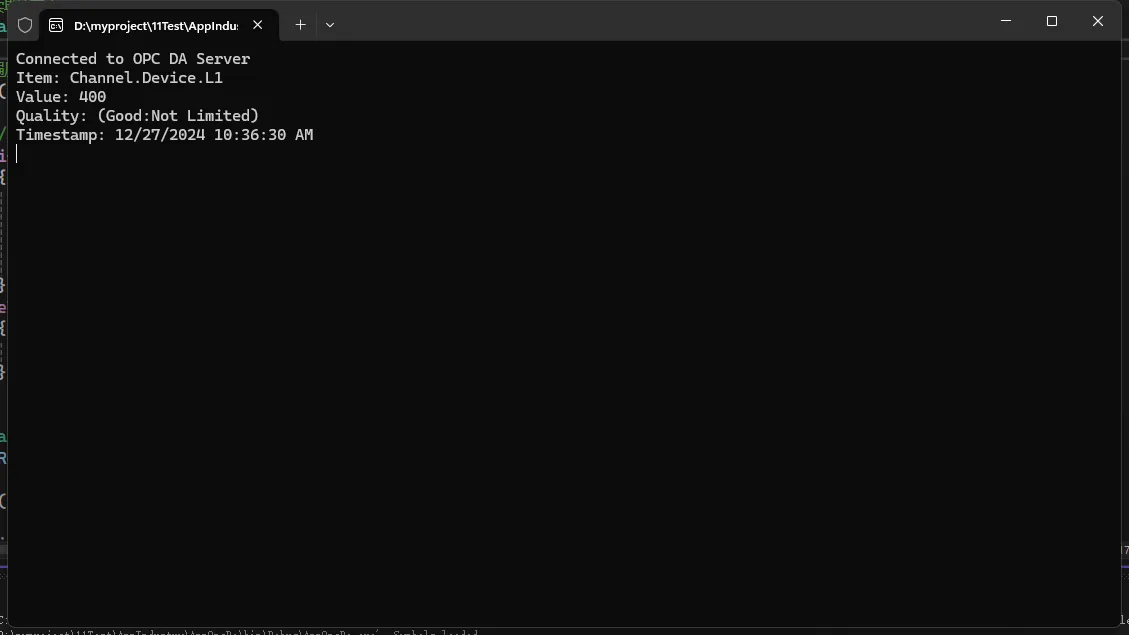
                        Console.WriteLine($"Item: {items[i].ItemName}");
                        Console.WriteLine($"Value: {itemValues[i].Value}");
                        Console.WriteLine($"Quality: {itemValues[i].Quality}");
                        Console.WriteLine($"Timestamp: {itemValues[i].Timestamp}");
                    }
                    else
                    {
                        Console.WriteLine($"Error reading item {items[i].ItemName}: {itemValues[i].Result}");
                    }
                }

                itemResults = group.AddItems(items);

                for (int i = 0; i < itemResults.GetLength(0); i++)
                {
                    if (itemResults[i].Result.IsError())
                    {
                        Console.WriteLine(String.Format("   Item {0} could not be added to the group", itemResults[i].ItemName));
                    }
                }
            }

            Console.ReadKey();
        }
    }
}
简介
在工业自动化领域,PLC(可编程逻辑控制器)广泛用于控制和监控设备。为了让计算机程序与 PLC 进行通信,我们需要使用特定的协议和库。Libplctag 是一个用于与 Allen-Bradley 和 Rockwell PLC 通信的开源 C 库,而 LibplctagWrapper 是其在 .NET 平台上的封装,使得 C# 开发者可以方便地与 PLC 进行数据交换。
本文将详细介绍如何在 C# 项目中使用 LibplctagWrapper,与 PLC 进行通信。我们将涵盖从安装、基本用法到高级功能的各个方面,并提供丰富的代码示例。
环境准备
在开始之前,确保您的开发环境满足以下要求:
- Visual Studio 2022或更高版本
- .NET Framework 4.6 或更高版本,或 .NET Core/.NET 6+
- 访问目标 PLC 的网络连接
- 安装 Libplctag 库
安装 Libplctag 和 LibplctagWrapper
安装 Libplctag
-
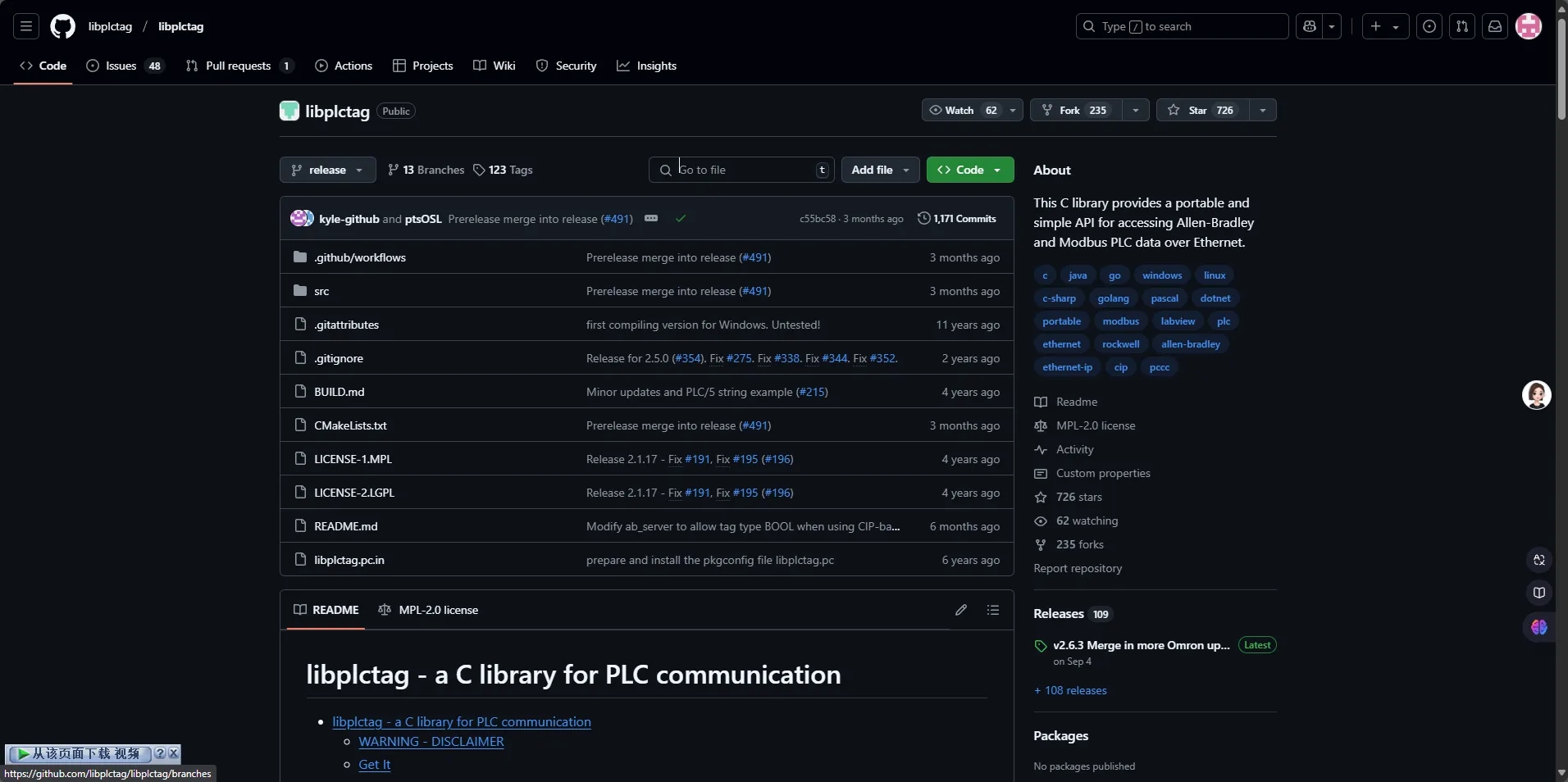
下载预编译的二进制文件
前往 Libplctag 的发行版页面,下载适用于您的系统的预编译库。
 2. 将库添加到项目中
将下载的库文件(如 `plctag.dll`)拷贝到您的项目目录,并确保在构建时能够找到该库。
安装 LibplctagWrapper
通过 NuGet 包管理器安装:
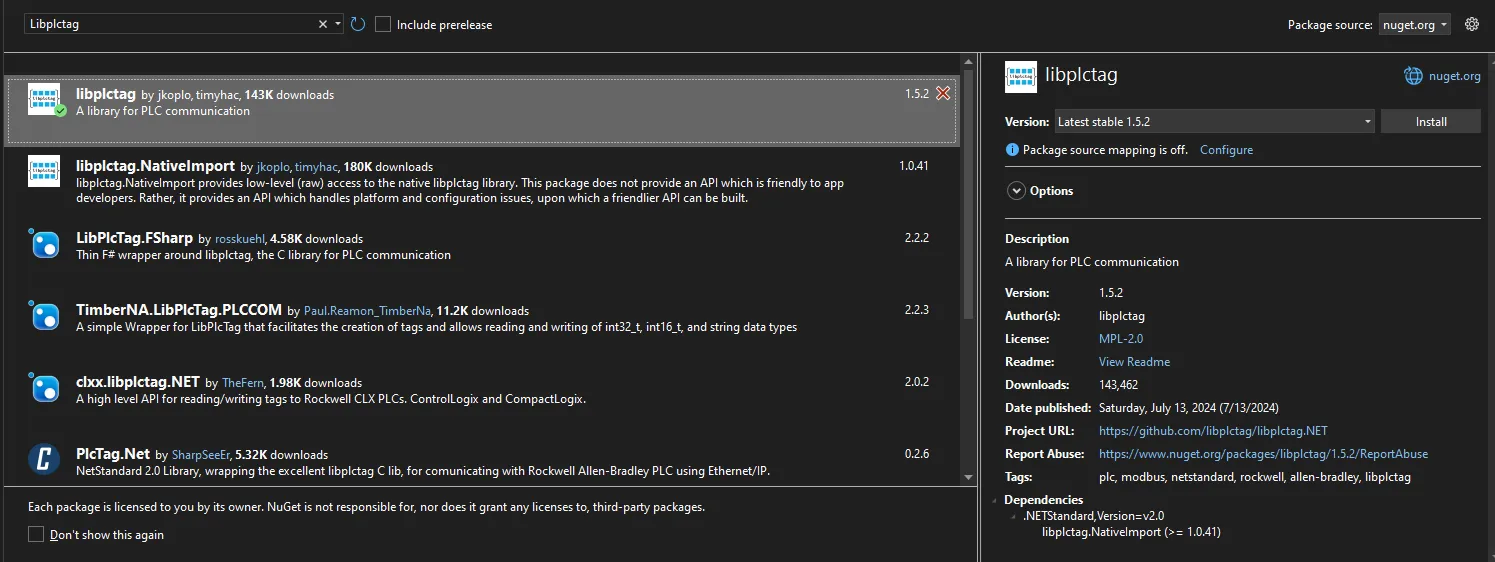
- 打开 Visual Studio,在 “工具” 菜单中选择 “NuGet 包管理器” -> “管理解决方案的 NuGet 包”。
- 搜索 “Libplctag”,然后点击 “安装”。
或使用包管理器控制台:
PowerShellInstall-Package Libplctag
Modbus 是一种广泛应用于工业领域的通信协议,用于在电子设备之间传输数据。它简单、可靠,支持串行和以太网通信。EasyModbus 是一个用于 .NET 平台的开源库,提供了便捷的接口来实现 Modbus 协议的功能。
本文将详细介绍如何在 C# 项目中使用 EasyModbus 库,实现 Modbus 通信,包括读取和写入数据的具体示例。
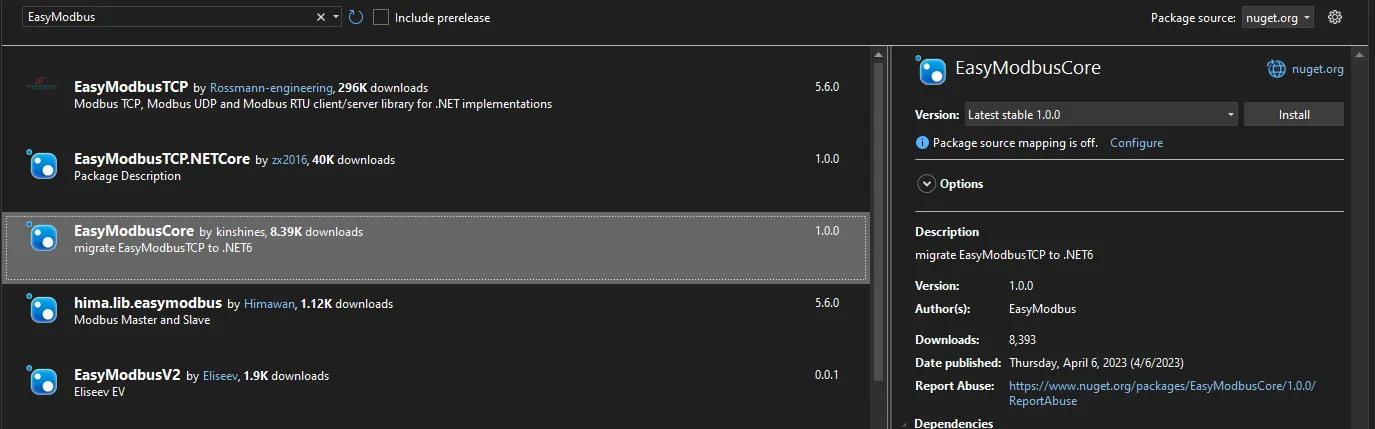
安装 EasyModbus
在开始使用 EasyModbus 之前,需要将其添加到您的项目中。
-
通过包管理器控制台安装
打开 “工具” -> “NuGet 包管理器” -> “包管理器控制台”,输入以下命令并回车:
PowerShellInstall-Package EasyModbus
基本用法
创建 Modbus 客户端
首先,需要创建一个 Modbus 客户端实例,指定目标服务器的 IP 地址和端口号(默认端口为 502)。
C#static void Main(string[] args)
{
    ModbusClient modbusClient = new ModbusClient("127.0.0.1", 502);
    modbusClient.Connect();
    if (modbusClient.Connected) {
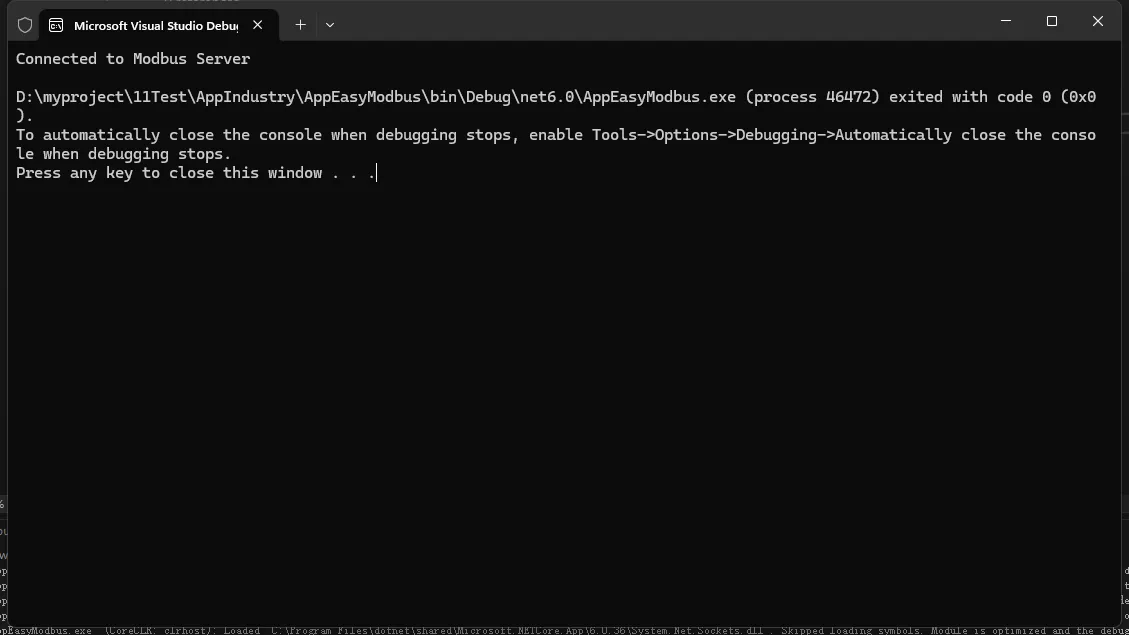
        Console.WriteLine("Connected to Modbus Server");
    }
}